
Let Hermes build workflows
With the workflow builder connected, ask Hermes for an automation in plain words, and it builds it in n8n.
Asking for a workflow
Describe what should happen, when, and where the result goes:
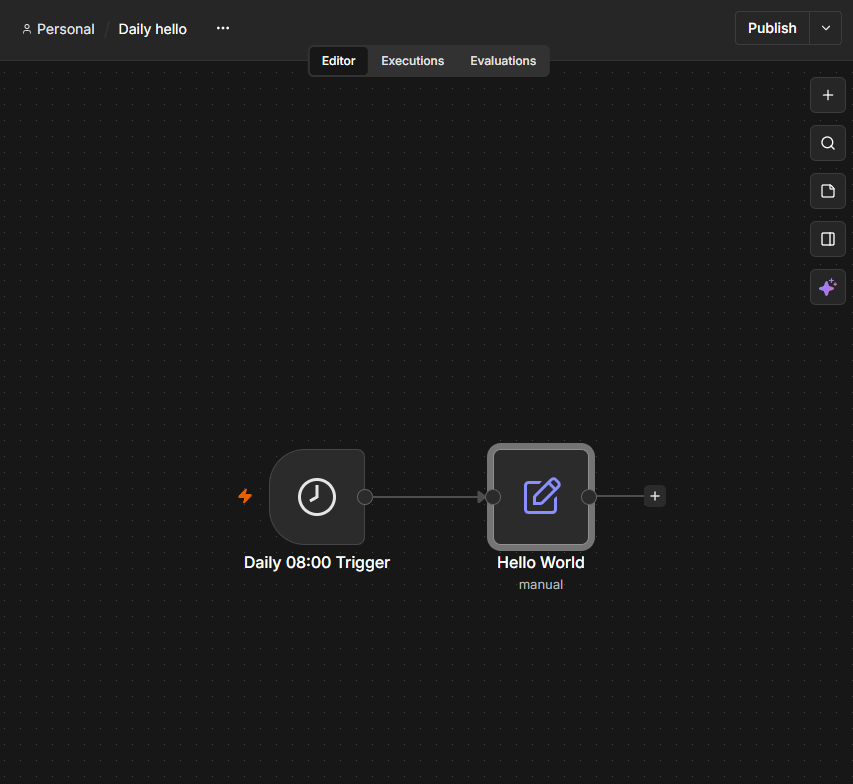
Create an n8n workflow called "Daily hello" that runs once a day at 8:00 AM and
outputs {"hello": "world"}.
Hermes plans the workflow, checks it with n8n, and creates it. It can also test it with sample data and publish it, when you ask. Check what it built in the n8n editor before you rely on it. If a node shows a warning, describe the problem to Hermes and ask it to fix the workflow.
Credentials
Hermes can use credentials you have already saved in n8n, by name, but it cannot read their secret values. Add any new credential in the n8n editor yourself, then tell Hermes its name.
Workflows Hermes creates
Hermes can keep editing the workflows it created. Ask it to change one by name:
Workflows you made yourself
Hermes cannot read, run or edit a workflow you built in the editor until you allow it. It can only see that the workflow exists, by name.
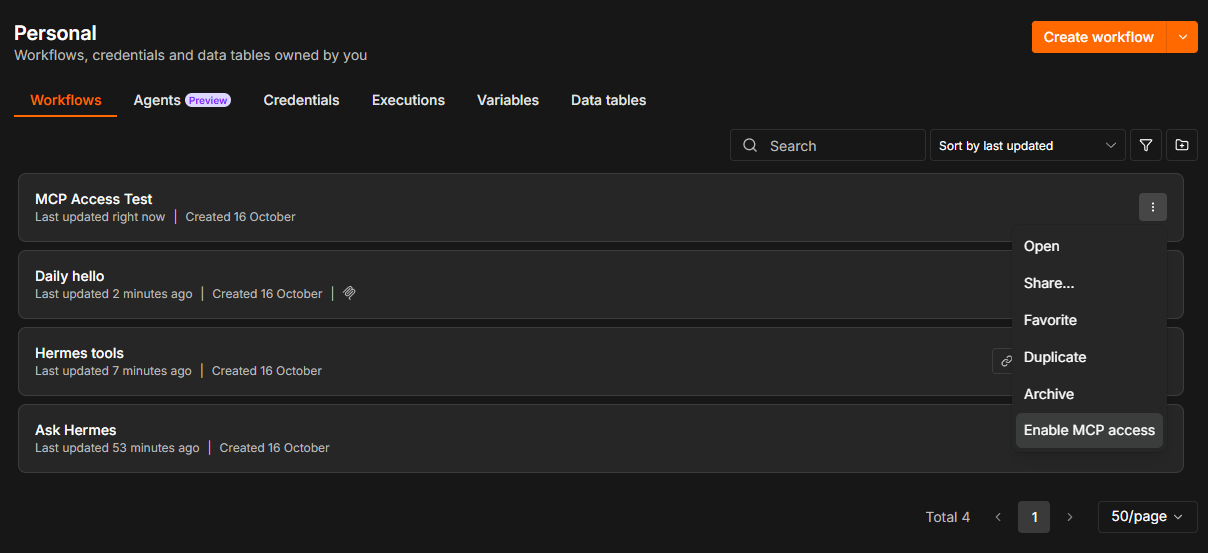
To allow one, open the workflow, then ⋯, Settings, and switch on Available in MCP. From the workflow list, Enable MCP access on a workflow's menu does the same. Switch it off again at any time.
Removing workflows
Hermes can archive a workflow. Archived workflows are hidden from your workflow list.
Hermes cannot permanently delete a workflow, an n8n Agent or a data table column. Those tools are hidden from it. Permanent deletion stays with you, in the n8n editor.
Turning the workflow builder off
To stop Hermes from building workflows without disconnecting anything else, switch off Enable MCP access in n8n's Settings, Instance-level MCP. Ask Hermes and Hermes tools keep working. Switch it back on whenever you like.
Last updated October 25, 2026 · Suggest an improvement