Software Sushi documentation
Sushi ML Studio
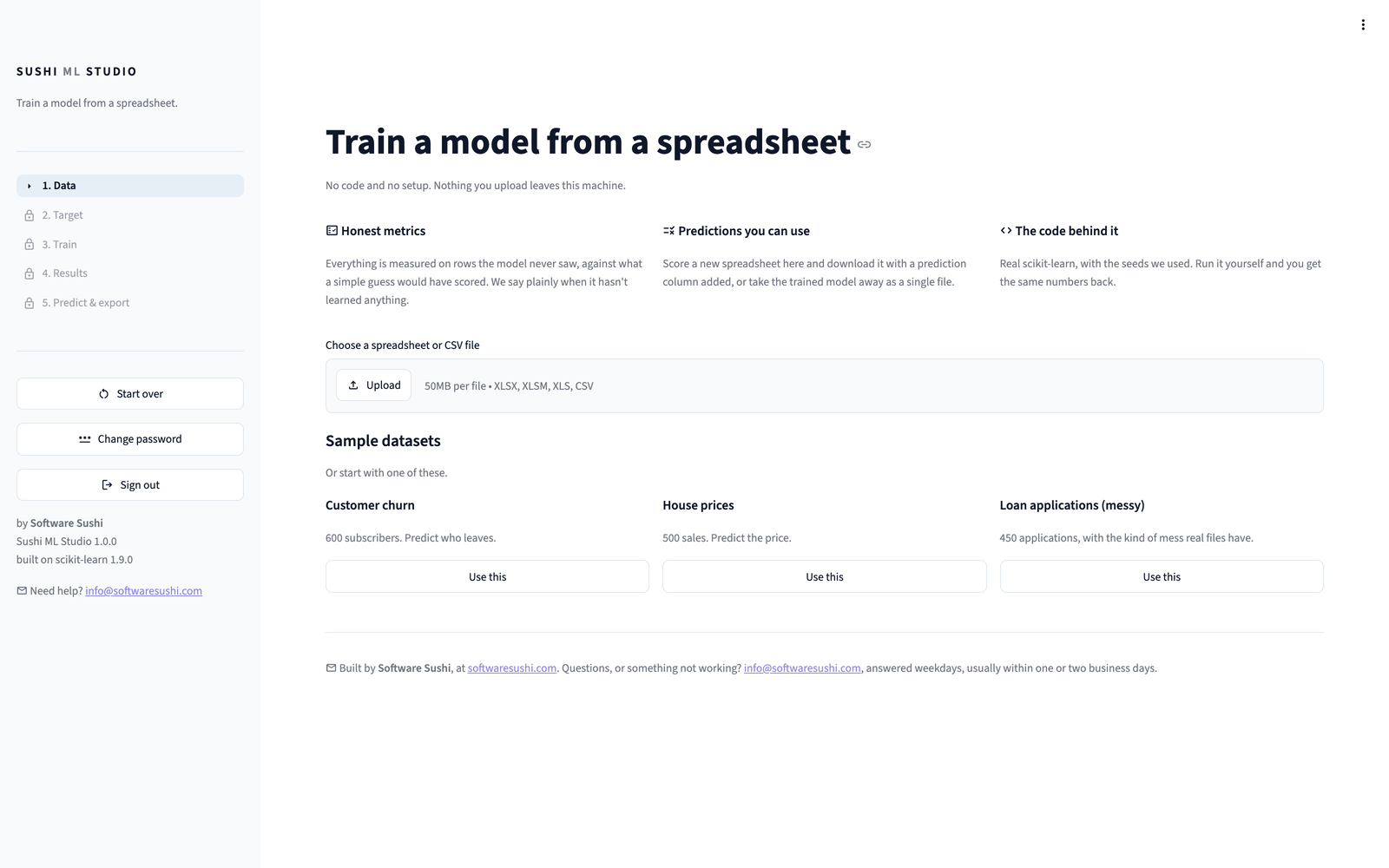
No-code machine learning that runs on your own EC2 instance. Upload a spreadsheet, pick the column you want to predict, and get a trained model, an honest account of how good it is, and predictions for new rows, in minutes.
Get started in three steps
- Subscribe to Sushi ML Studio in AWS Marketplace. There is a 7-day free trial.
- Launch it with the recommended settings. There is nothing to configure.
- Open
http://<public-ip>:8501in your browser and sign in with your instance ID.
No code, no terminal and nothing to install, for any of that or for training and using a model.
Quick start, step by step Train your first model
Where to go next
-
Getting started
Subscribe, launch and sign in, in your browser, with a screenshot for every step.
-
Using the Studio
Load a spreadsheet, train seven models, read the results and predict on new data.
-
Cookbook
Short recipes for what comes next: score files in Python, use your model in Google Colab, or retrain it.
-
Security and data
What the image does and does not do, how sign-in works, and why your data never leaves your instance.
What makes it different
- Honest results. Every score is measured on rows the model never saw, and compared with what a simple guess would have scored. When a model has not learned anything useful, the Studio says so.
- No algorithm to pick. Seven models are trained and compared for you. When several are too close to call, it says so and suggests the simplest.
- Yours to keep. Download the model, a standard scikit-learn pipeline saved with joblib, and the Python code that rebuilds it with the same score.
- Private by design. It runs in your AWS account. Uploaded data is held in memory and never sent anywhere.