Hermes AI Agent + n8n
An AI agent and a workflow automation platform, connected and running together on your own EC2 instance. Talk to Hermes, let it build and run n8n workflows for you, and call Hermes from your own workflows.
- Delivery
- Amazon Machine Image in your own AWS account
Get started in three steps
- Subscribe to Hermes AI Agent + n8n in AWS Marketplace and launch it with a key pair and security group.
- Set up Hermes in a terminal: choose your model provider and, if you like, a messaging app.
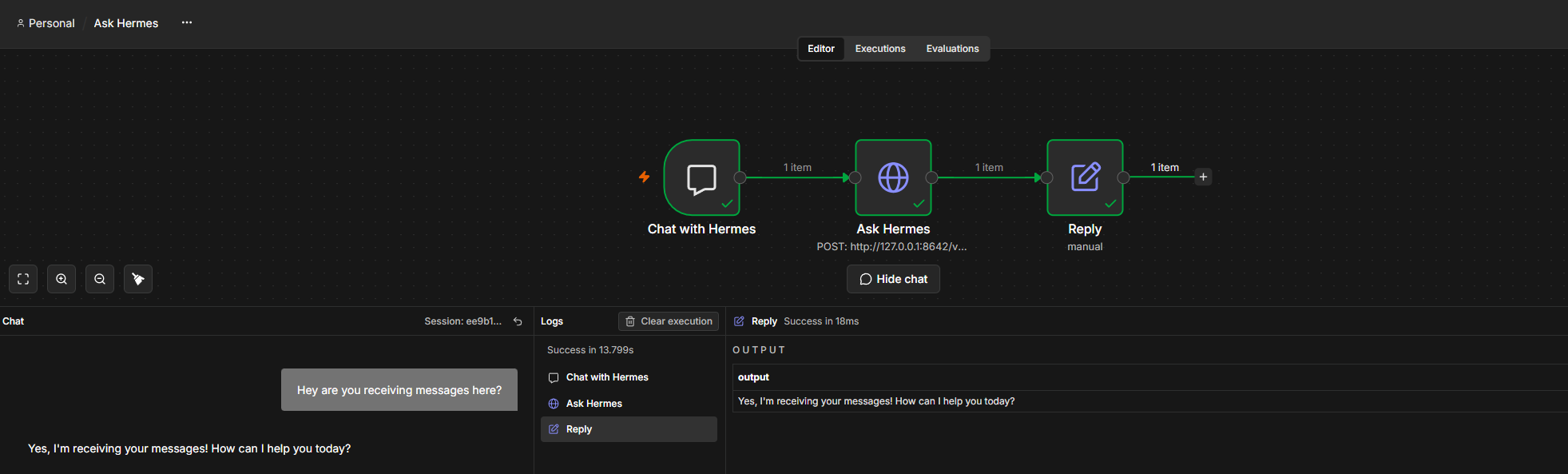
- Open n8n in your browser at your instance's IPv4 address and try Ask Hermes, a ready-made workflow that talks to your agent.
Hermes and n8n are already connected when the instance starts. Your own model key is the only thing you bring.
Quick start, step by step Let Hermes build workflows
Where to go next
-
Getting started
Subscribe, launch, set up Hermes and open n8n, one step at a time.
-
Using Hermes and n8n
How the two talk to each other, and how to let Hermes create and edit workflows for you.
-
Working on the instance
Connect, use the n8n dashboard, check everything with one command, and keep backups.
-
Security and data
What the image does and does not do, where your data lives, and what we check on every image we build.
What makes it different
- Connected from the start. Hermes and n8n find each other on the first boot, with keys made for your instance alone.
- An agent that builds automations. Once you connect the workflow builder, Hermes creates, edits, tests and publishes n8n workflows when you ask.
- You stay in charge. Hermes can archive a workflow but never permanently delete one, and it edits workflows you made yourself only after you allow it.
- Secure by default. n8n opens in your browser over HTTPS, with a certificate made for your instance. Nobody reaches it without your instance's ID at first, and your n8n account after that. The link between Hermes and n8n never leaves the instance.
Ports
| Port | Protocol | Used for |
|---|---|---|
| 22 | TCP | SSH, with your EC2 key pair, from the addresses you allow. |
| 443 | TCP | The n8n dashboard over HTTPS, open to every address. |
| 80 | TCP | Sends visitors on to HTTPS and lets Let's Encrypt check the certificate. |
The link between Hermes and n8n stays on the instance and is never exposed. See Security and data and The n8n dashboard.
Recommended instance
A t3.large or larger. Hermes and n8n run side by side and need the memory.
Just the agent?
If you only want the agent, chatting on Telegram, see Hermes AI Agent, the same hardened Hermes image without n8n.
Upstream projects
Hermes Agent is developed by Nous Research and released under the MIT license; n8n is developed by n8n GmbH under its Sustainable Use License. Software Sushi packages them for AWS and does not claim authorship. See the Hermes Agent repository and the n8n documentation.
Last updated October 27, 2026 · Suggest an improvement